Every feature below is designed around one rule: your images never leave your device.
On-device AI
Background removal runs through a real neural network via ONNX Runtime, inferred locally — no image, filename, or metadata is ever sent anywhere.
100% free & open source
MIT-licensed, built on a free, open-source stack — no API keys, no paid tiers, no usage limits.
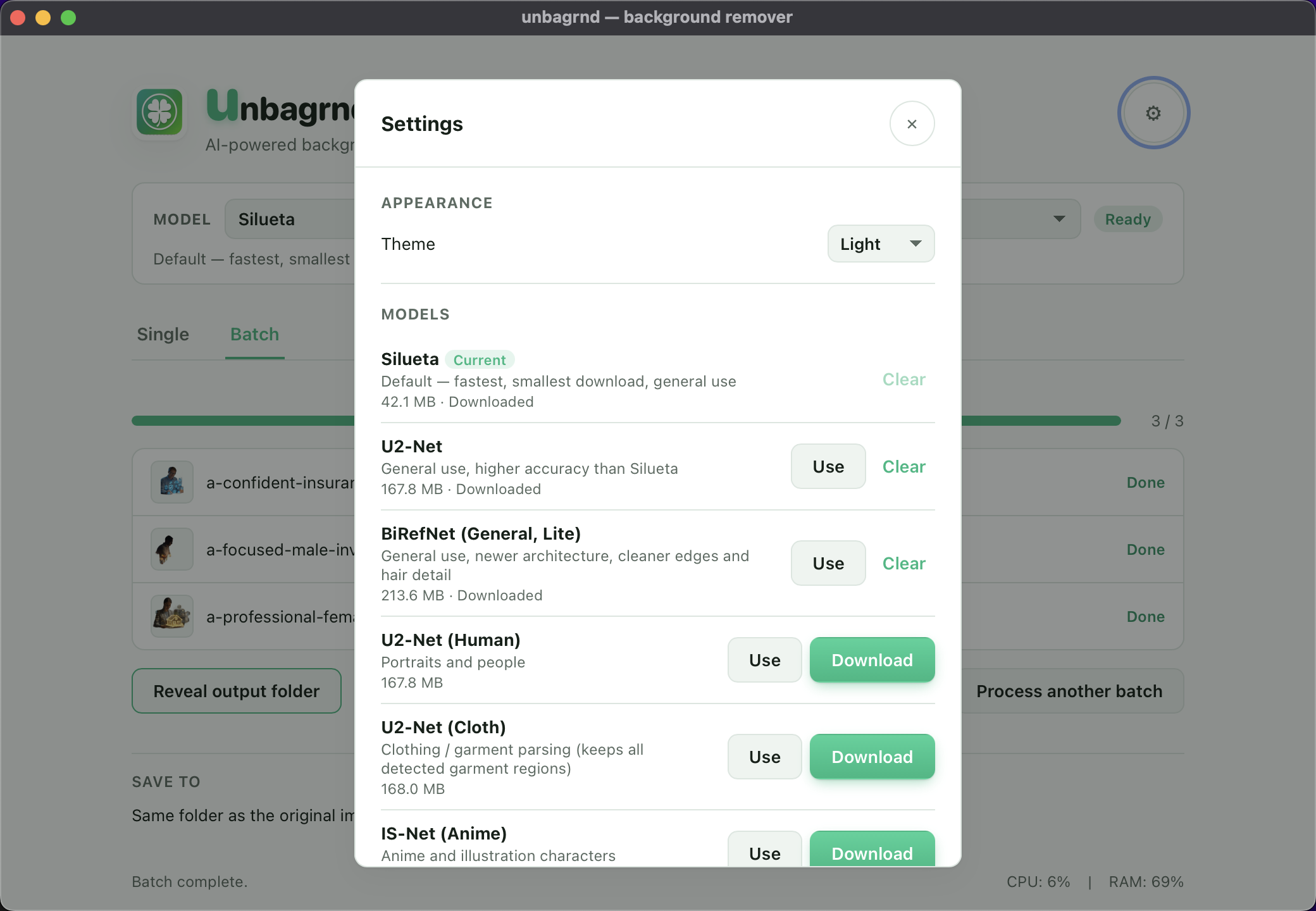
Pick your AI model
Choose from several background-removal models in Settings, trading off speed vs. accuracy — from a lightweight 43 MB default up.
Offline after setup
The only network request unbagrnd ever makes is the one-time model download. No analytics, no update checks, no telemetry.
Single & batch
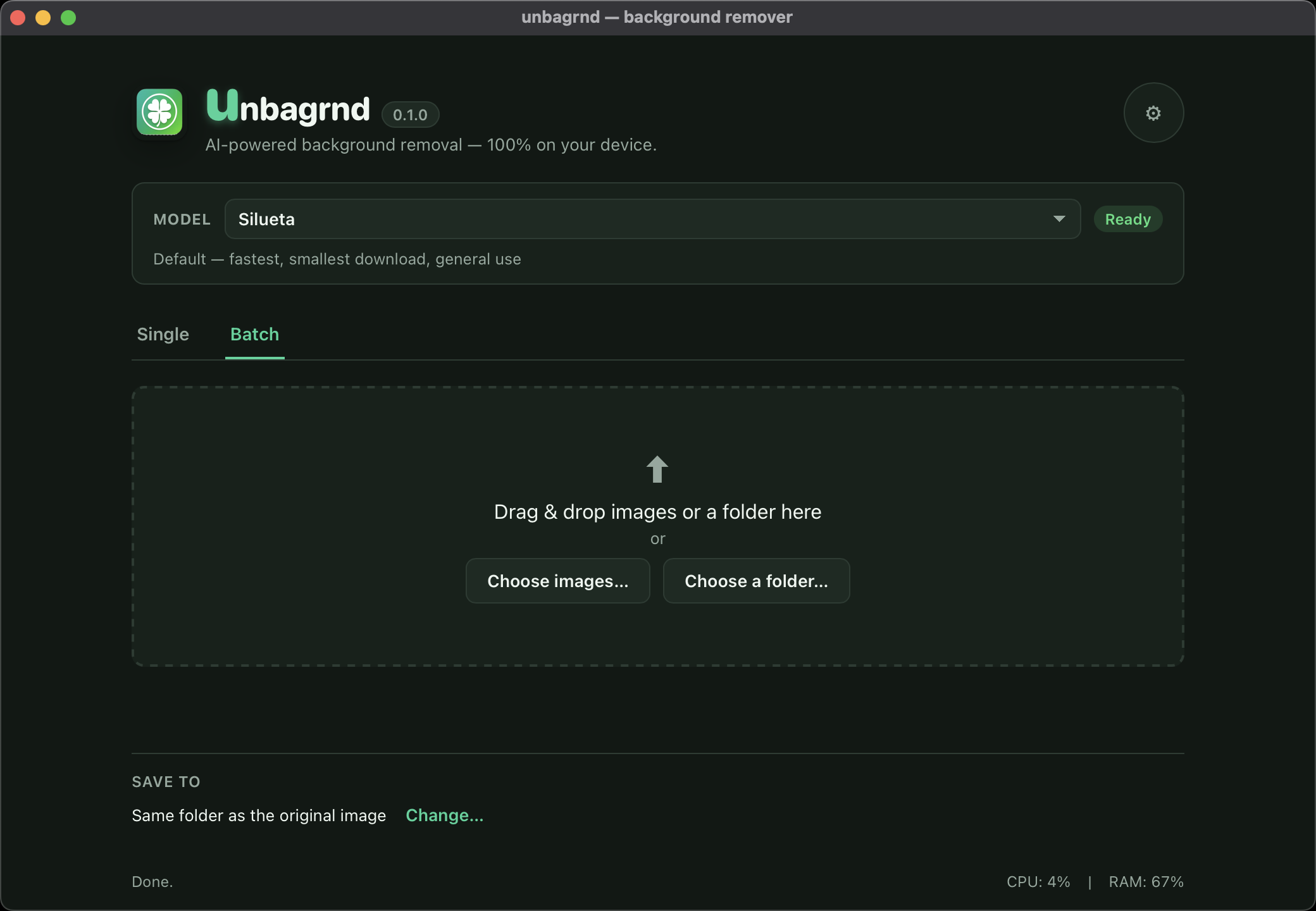
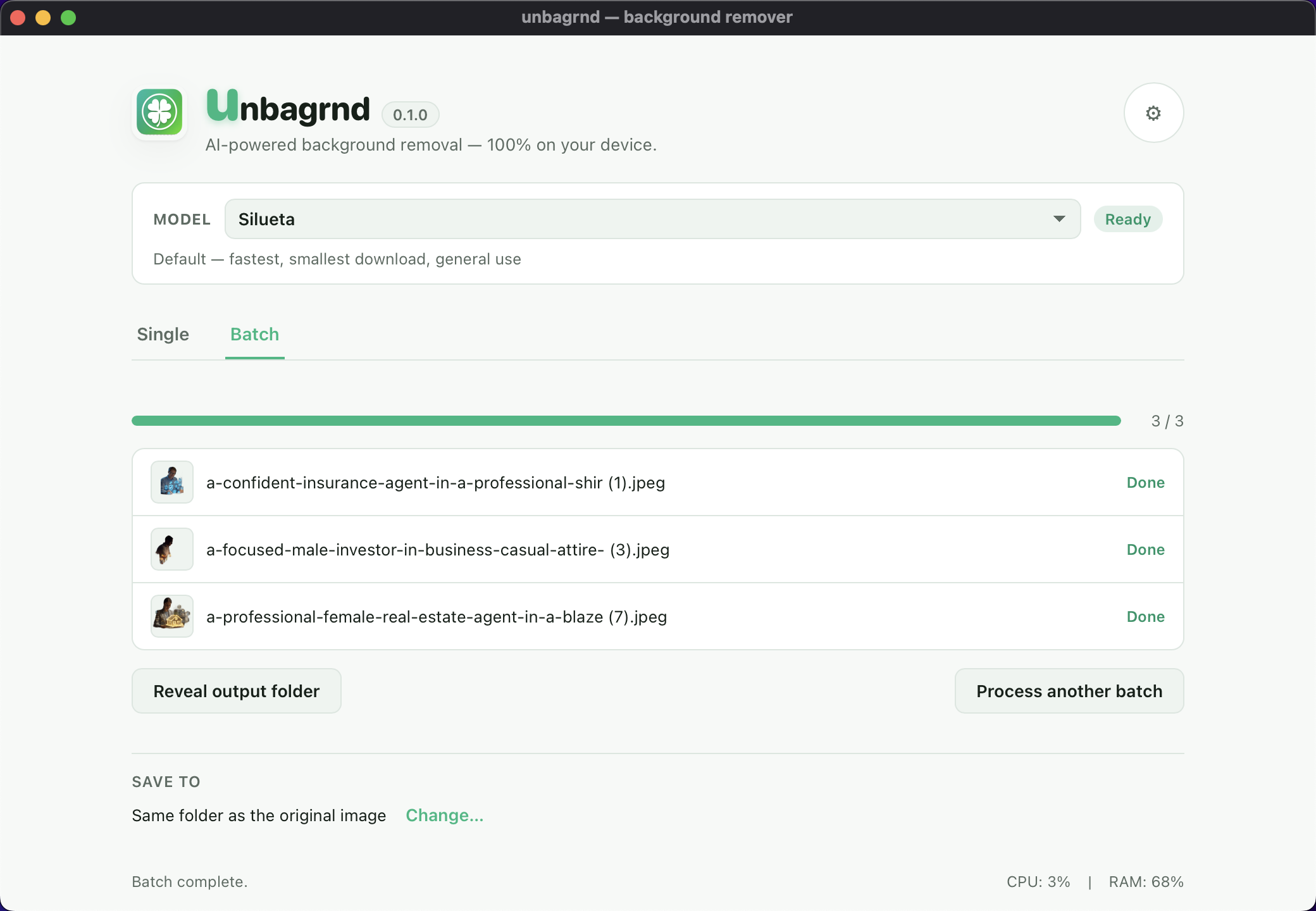
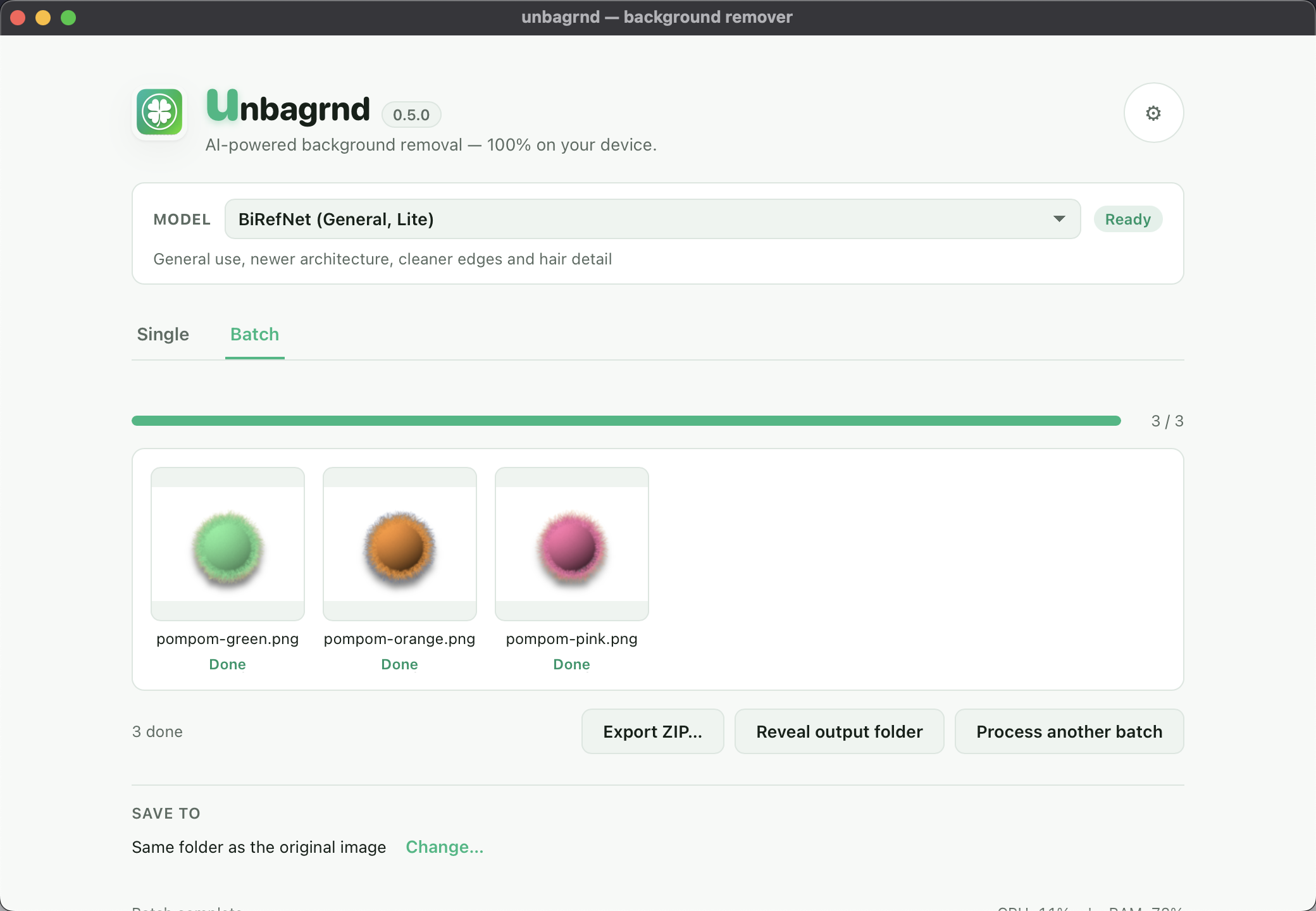
Process one image, or drop an entire folder, from the same window — with live previews as each file finishes. Batches can share one background and shadow, name files from a template, be cancelled or retried, and exported as a ZIP.
Cross-platform
Native installers for macOS (Apple Silicon), Windows, and Linux, plus an Android build — one small app, no Electron.
A look inside
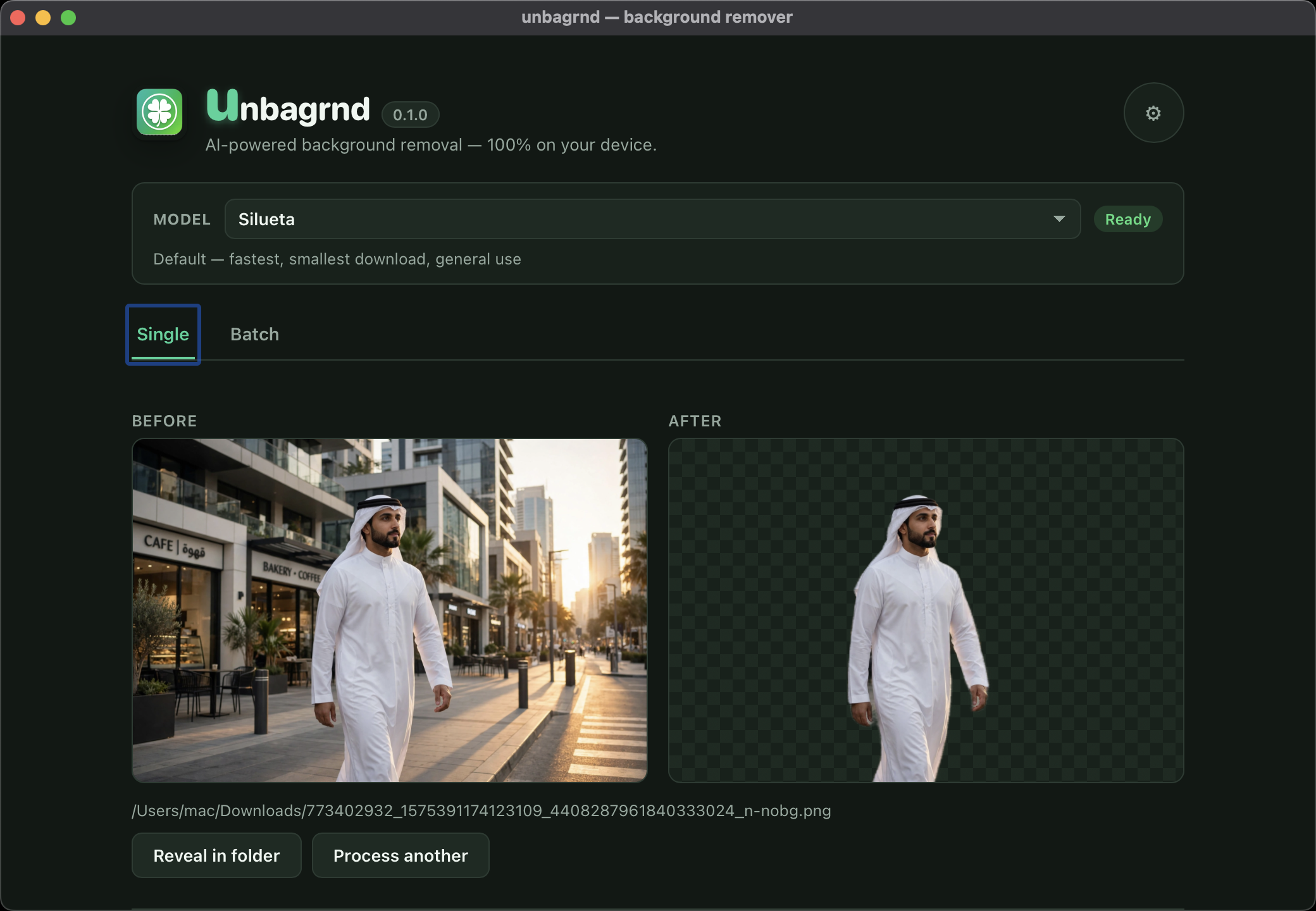
Simple enough for one photo, fast enough for a folder
Single-image mode, batch mode, and the model picker in Settings.
Beyond the cutout
Refine the edges, then style the background
On-device editors for the spots the model gets almost right — brush, edge controls and background styling, with no AI and no network, just the result you already have.
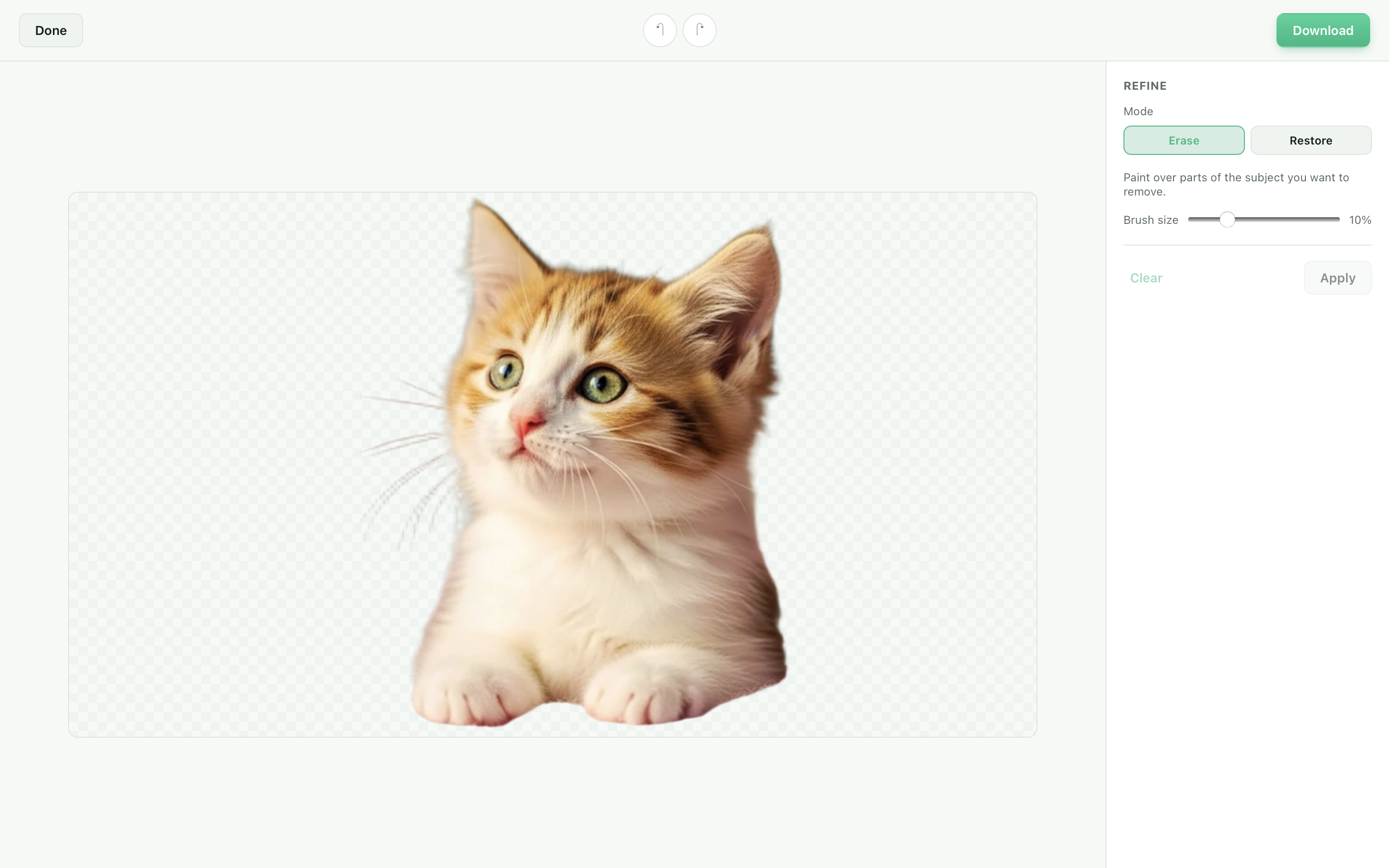
Refine
Brush over parts of the subject to erase or restore, with full undo/redo history.
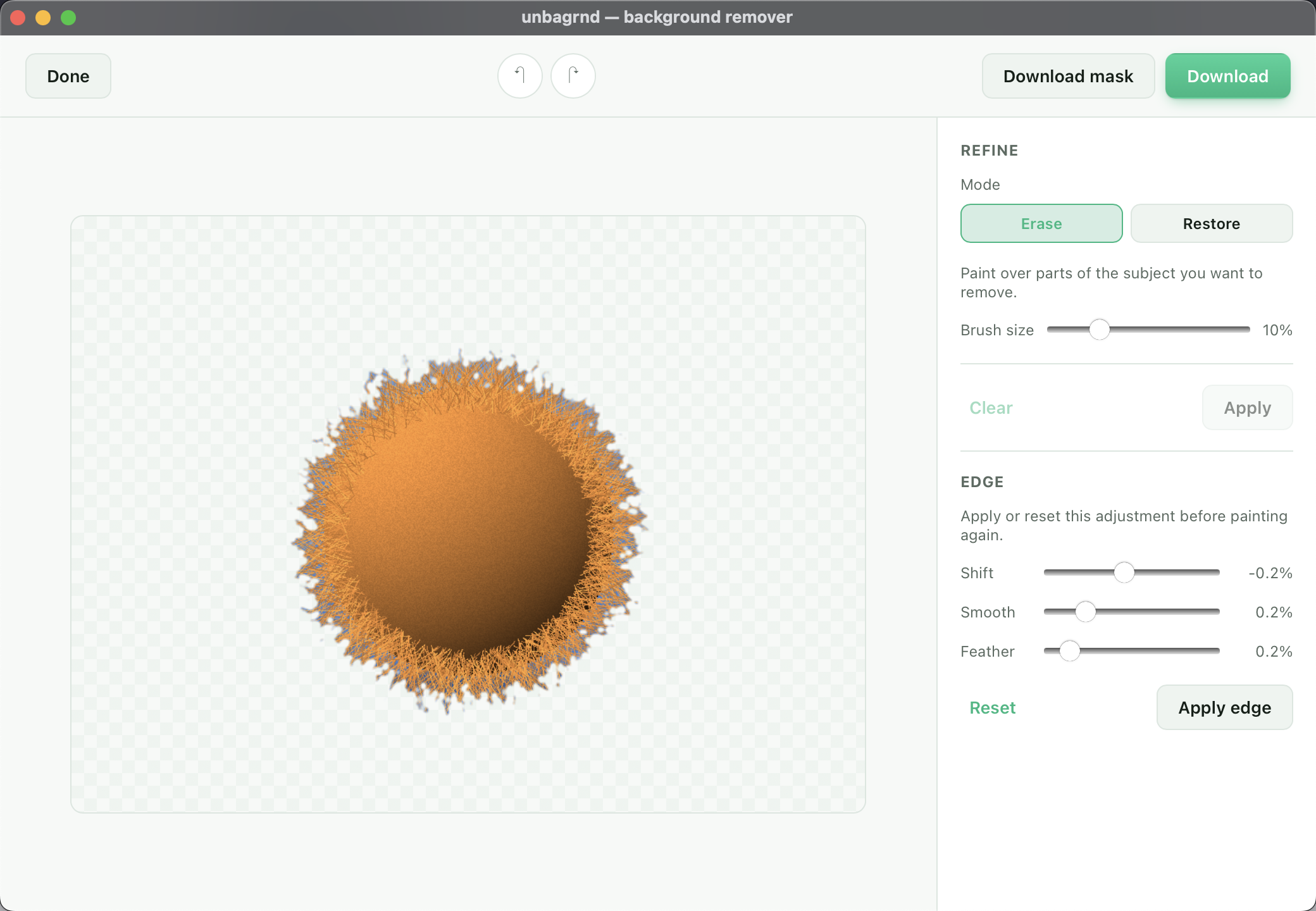
Edge
Shift the outline in or out, smooth jagged edges, or feather them — a live preview makes hair and fur easy to dial in.
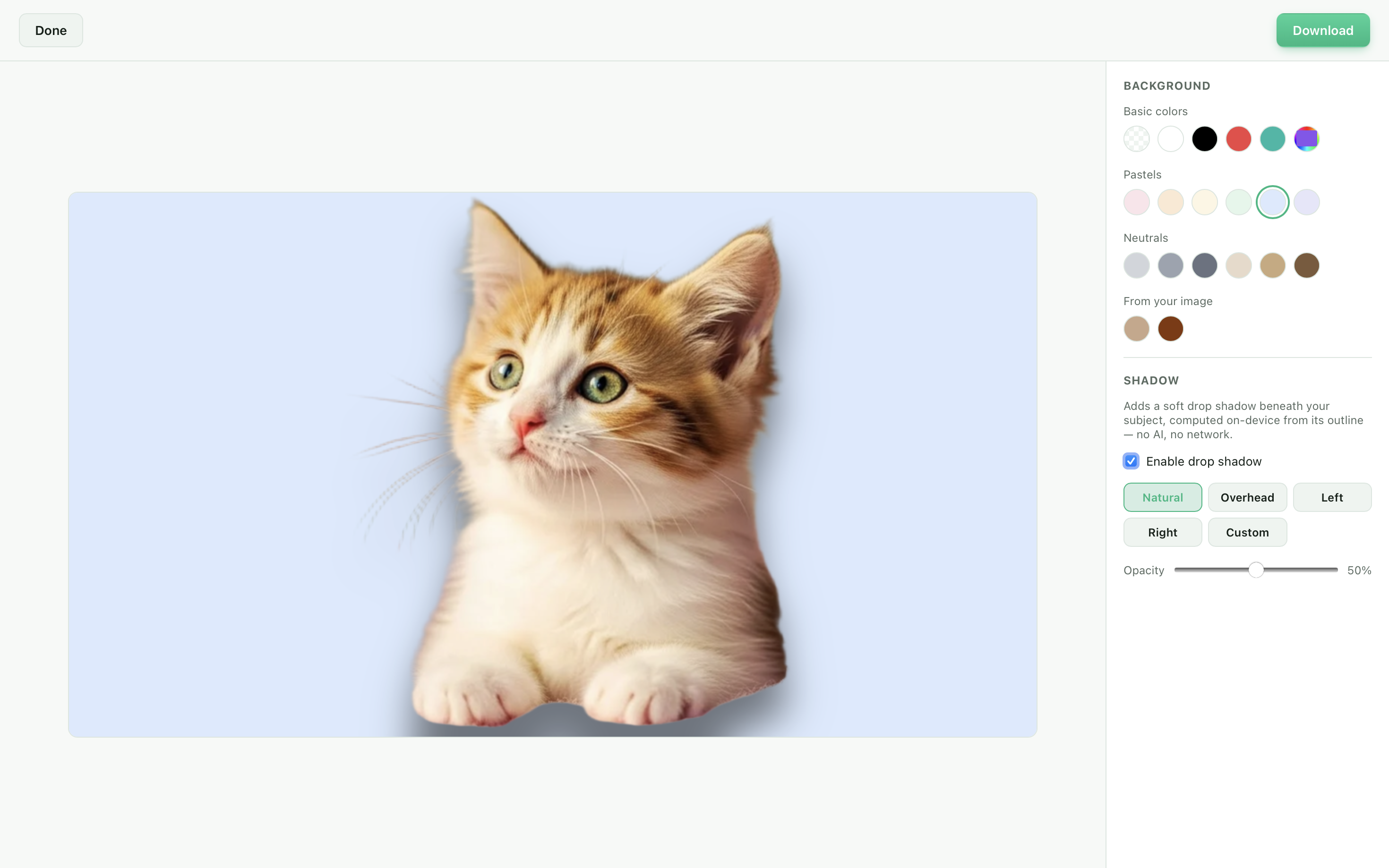
Background & shadow
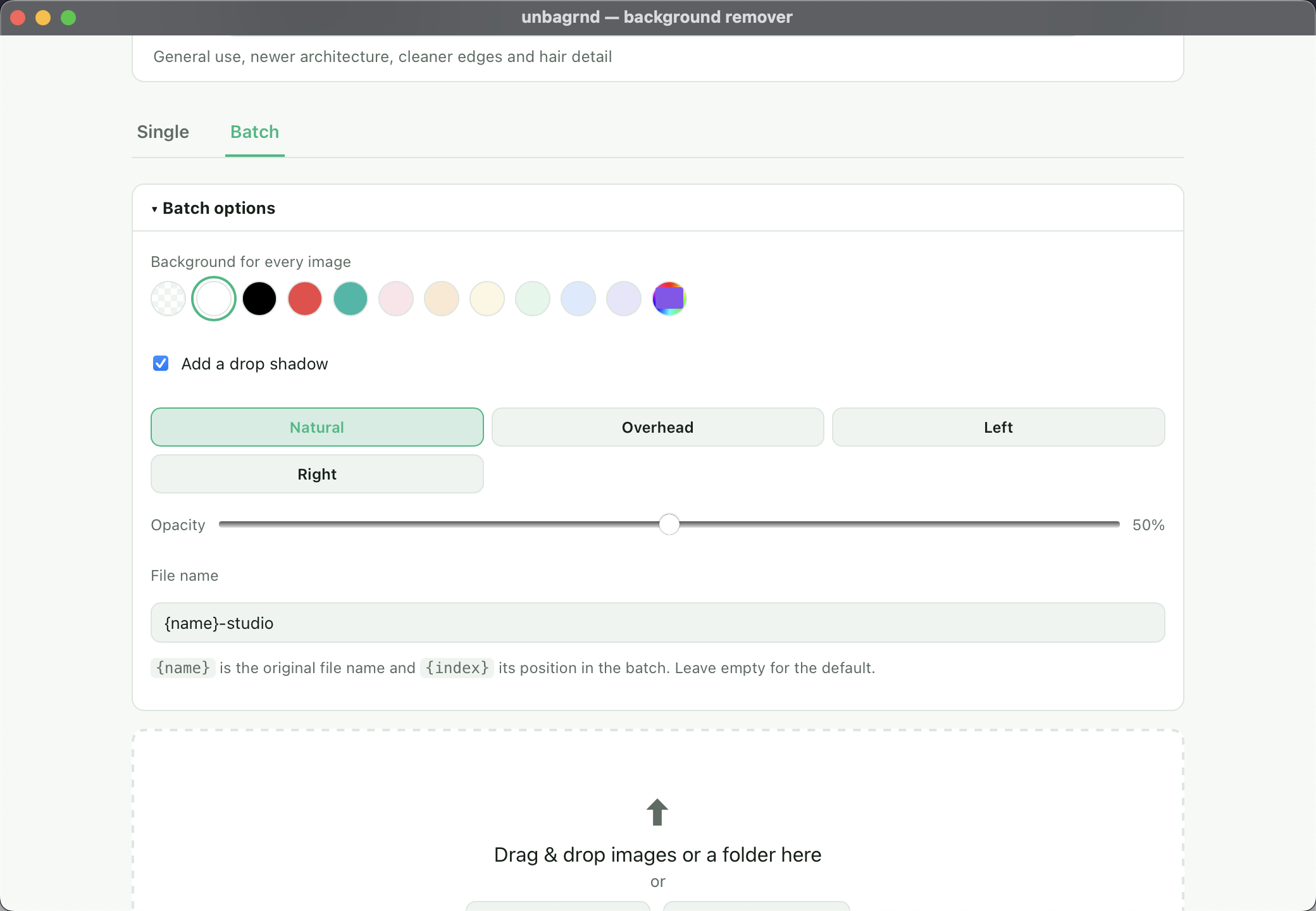
Fill in a solid color - basic, pastel, neutral, or lifted straight from the photo - and add a soft drop shadow computed on-device, with angle and opacity presets.
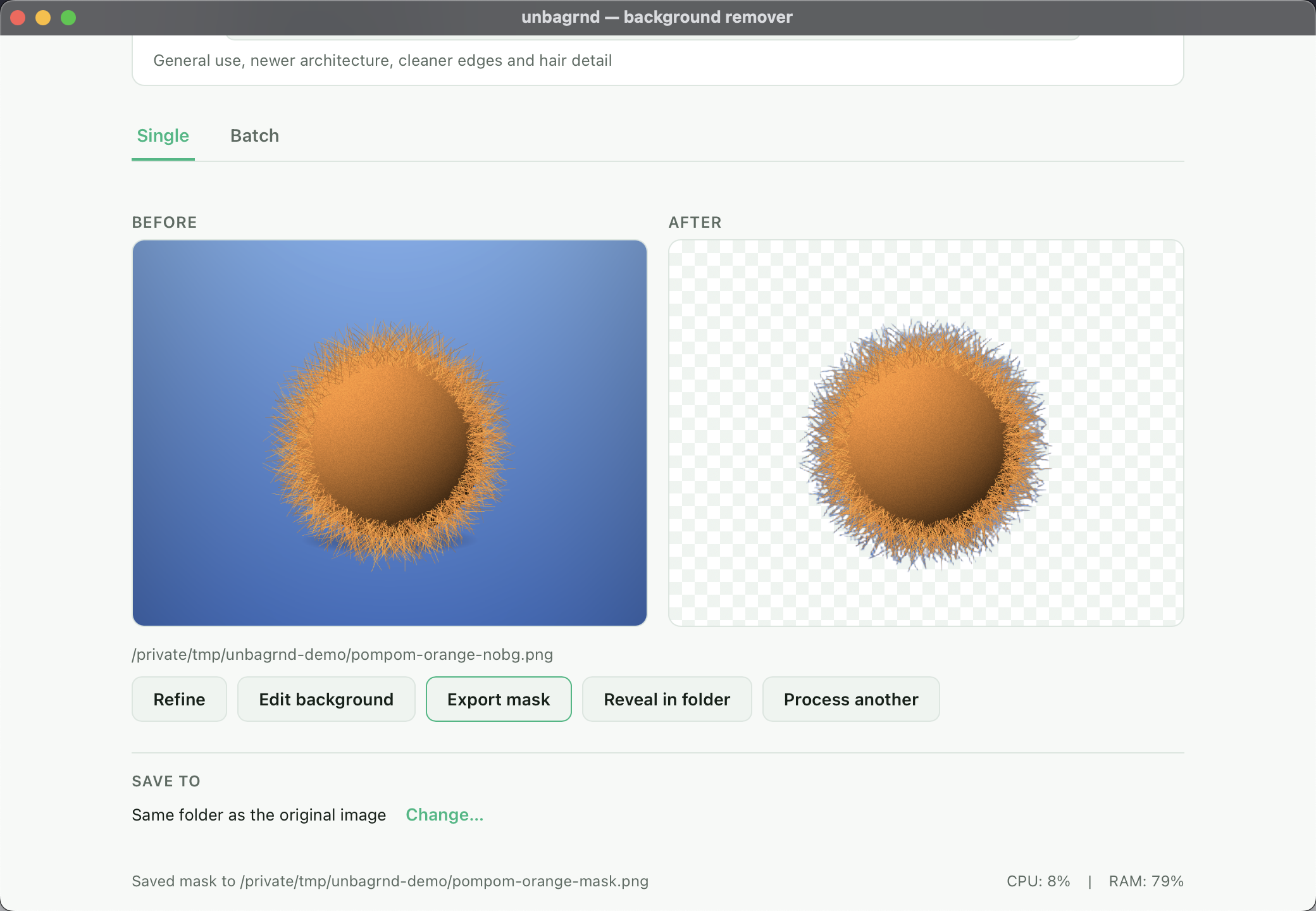
Export the mask
Save the cutout's transparency as a black-and-white alpha matte, ready to use as a layer mask in your design tool.
Batch
One look, every image
Set a background, a shadow and a naming scheme once, then drop in a whole folder. It all runs on your device, one image at a time.
Same look for all
Apply one background color and drop shadow to every image in the batch.
Names your way
Name outputs with a template such as {index}_{name}-studio; collisions are renamed instead of overwritten.
Cancel & retry
Stop a run at any time, then retry only the files that failed or were not processed.
Export ZIP
Bundle the finished images into a single archive in one click (desktop).
See it in action
Watch before you download
A quick showcase of the app, and a full walkthrough of how background removal works end-to-end.
Showcase
See unbagrnd in action
A quick tour of the interface, single & batch modes, and the on-device model picker.
Demo
Full walkthrough
A hands-on demo showing background removal from start to finish, entirely offline.
Under the hood
How it works
unbagrnd runs IS-Net "general use"
as an ONNX model via the Rust ort bindings for ONNX Runtime —
the same model family used by the popular rembg tool.
Decode & resize
Your image is loaded and resized to the model's input size, fully in memory.
Run the model
The neural network predicts a foreground mask, entirely on your CPU.
Build the alpha
The mask becomes an alpha channel, composited back onto the original pixels.
Save as PNG
The result is written straight to disk — the frontend never touches the network.
Get started
Download unbagrnd
Pick your platform. Every build is free, and the source is right there on GitHub.
macOS
v0.1.0 · Apple Silicon
Apple Silicon
Not notarized yet — macOS will say it's "damaged." Run xattr -cr /Applications/unbagrnd.app once — see the video for the full fix.
unbagrnd isn't notarized by an Apple Developer account yet, so Gatekeeper blocks it on first launch and shows this (misleading) message. Here's how to open it anyway.
After moving unbagrnd to Applications, run this once in Terminal: xattr -cr /Applications/unbagrnd.app